Updates

Product updates

Improvements

Every Pingdex update filed under improvements.

New Enhancement: Bulk Edit Large Lists in Seconds!
Managing large contact lists just got a whole lot faster.

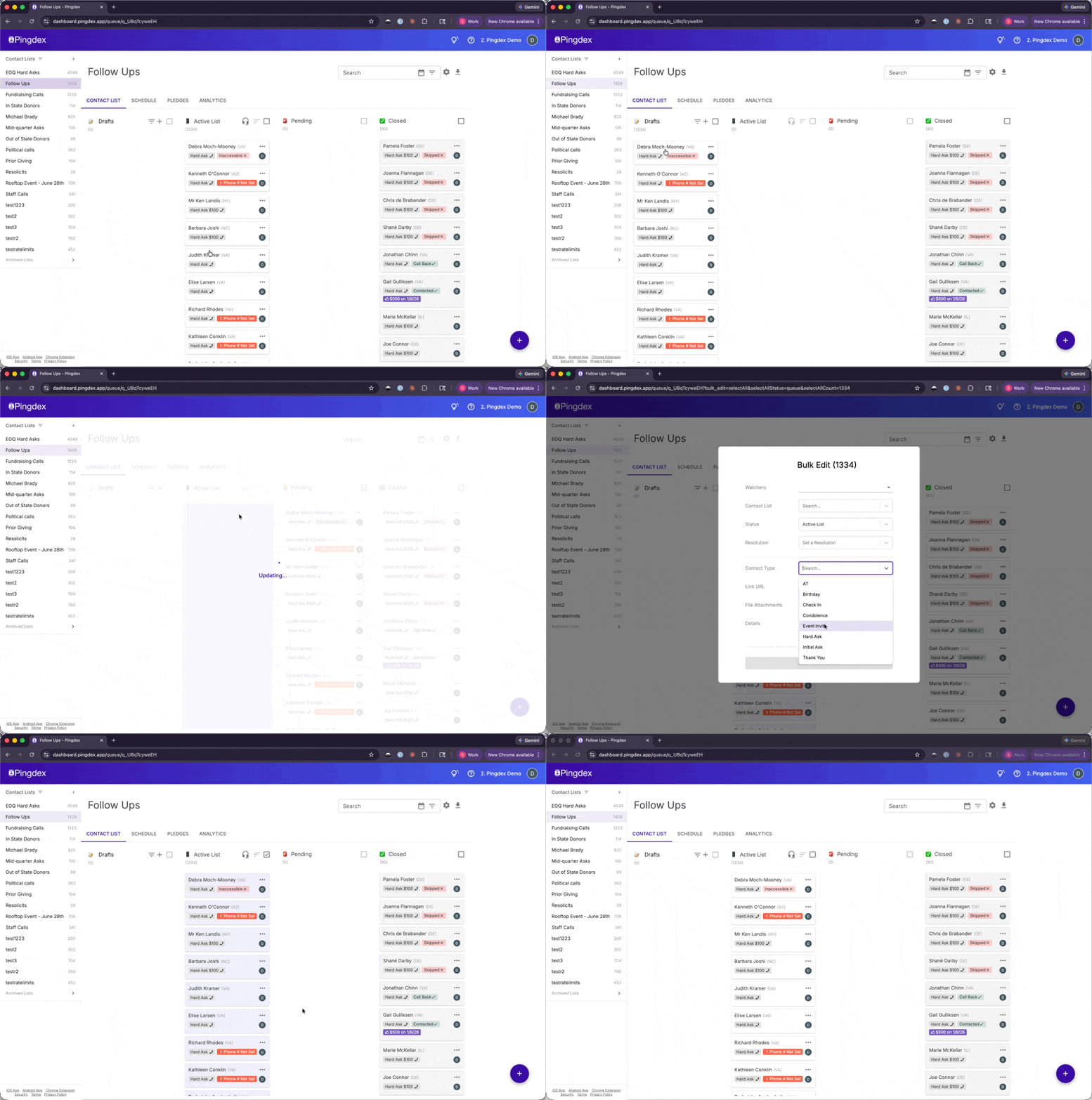
Previously, bulk actions only applied to the cards loaded and visible on your screen. Now, when you click "Select All," we mean all—whether that's 50 contacts or 5,000.

Move hundreds of calls with a single drag
Need to move your entire "Drafts" column to "Active List"? Just select all and drag.

Edit everything at once
Open the bulk edit dialog and update Contact Type, Contact List, Status, Resolution, or Description across your entire list. No more need to paging through results to apply to all contacts.

Have questions or feedback — send us a note at support@pingdex.app.
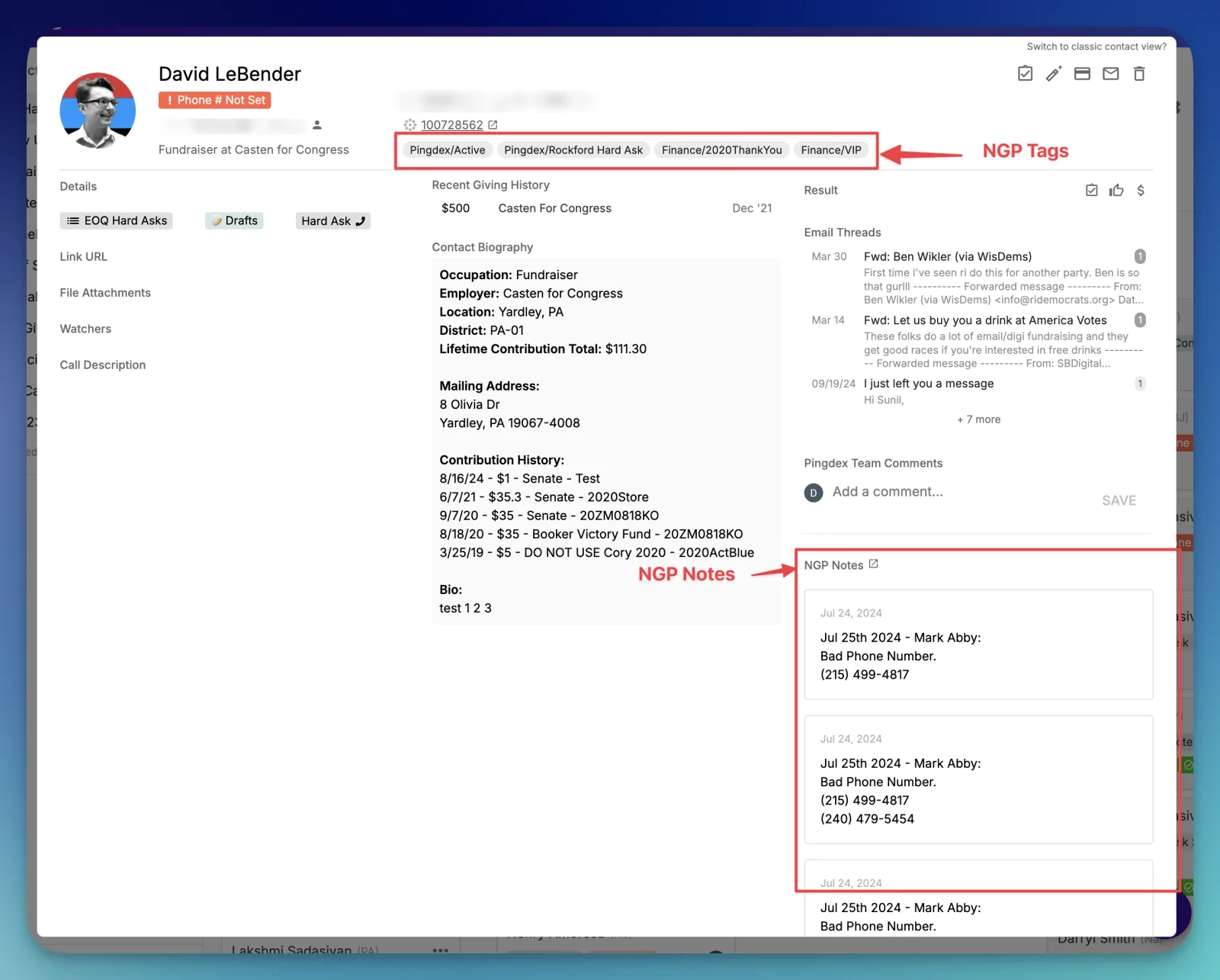
NGP Tags & Notes now live in their own section 🎉

We’ve split Tags and Notes out of the Bio field and given them a dedicated home.
Here’s what that means for you:

  • Cleaner layout – Bio stays focused on biography details, while Tags and Notes sit neatly below in an easy-to-scan block.
  • Always up to date – any time your team edits Tags or Notes in NGP, Pingdex pulls those changes in automatically—no refresh or manual import needed.
  • Less hunting – jump straight to the context you need when prepping for a call.
NGP Tags & Notes now live in their own section

A NEW look to the "Contact View"

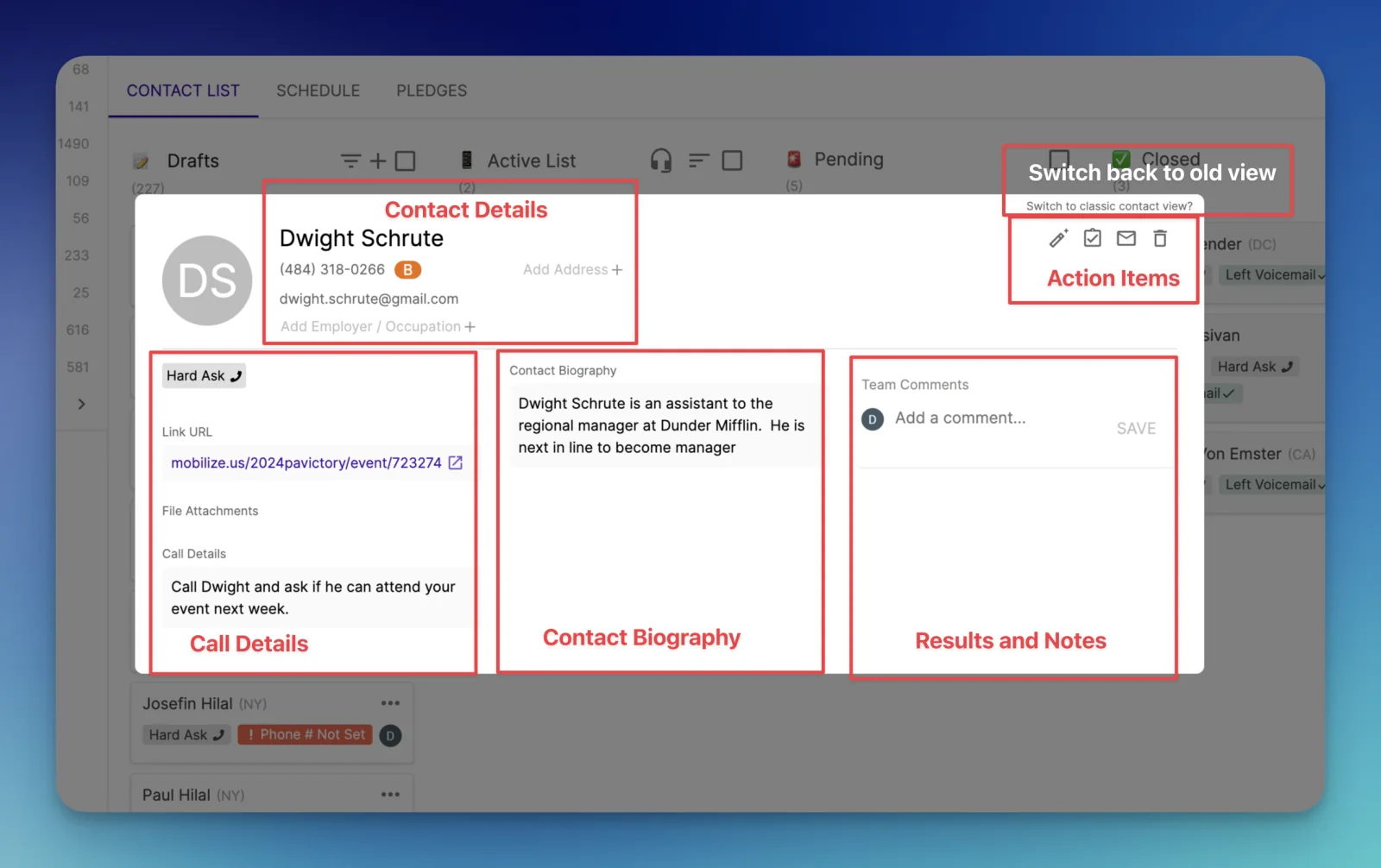
We're super excited to share a major new look to the "Contact View." Now when you click in to the contact, you'll see something like this.

A NEW look to the "Contact View"

This is a major upgrade to the way you can view contact details. Our aim with this is to have you scroll a lot less and see everything you need, in one, simple, straightforward view. This is NEW and you can always switch back to the "classic contact view" with the link at the top right.

The screenshot above showcases all the sections. You can hover over any element to make changes.

Since this is new, we'd love your feedback on this. Please send over any thoughts, questions or complaints to us at support@pingdex.app!

Enhanced Pingdex Search Functionality! (Search Notes, Bio and Details)

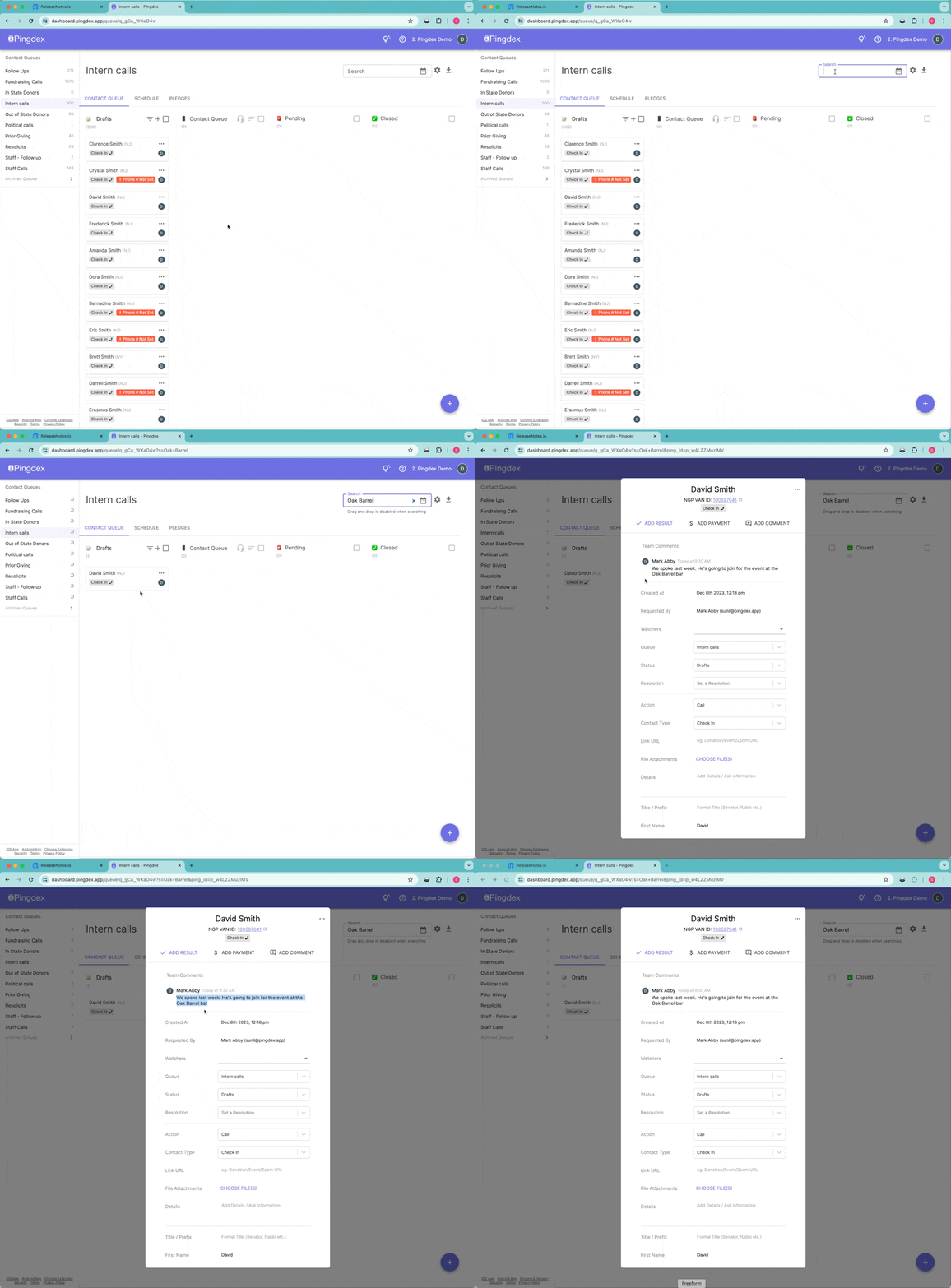
We are excited to announce the release of enhanced search functionality in Pingdex! With this update, Pingdex now filters and matches across Contact Notes, Bio Information, and Details sections, providing a more comprehensive and efficient & fast search experience.

This improvement has been one of the most requested features, and we're thrilled to deliver it to our users. Additionally, searching by phone number is now significantly faster, ensuring you can find the information you need quickly and easily.

Thank you for your feedback and continued support!

Enhanced Pingdex Search Functionality! (Search Notes, Bio and Details)

Drop pre-recorded voicemails from mobile without listening to the answering message!

We're happy to announce this much requested feature update! When we launched the Webdialer last fall, we introduced a new way to drop voicemails without needing to listen to the answering message.

I'm happy to share that we've updated the iOS and Android flows for dropping Pre-recorded voicemails to follow the same flow.

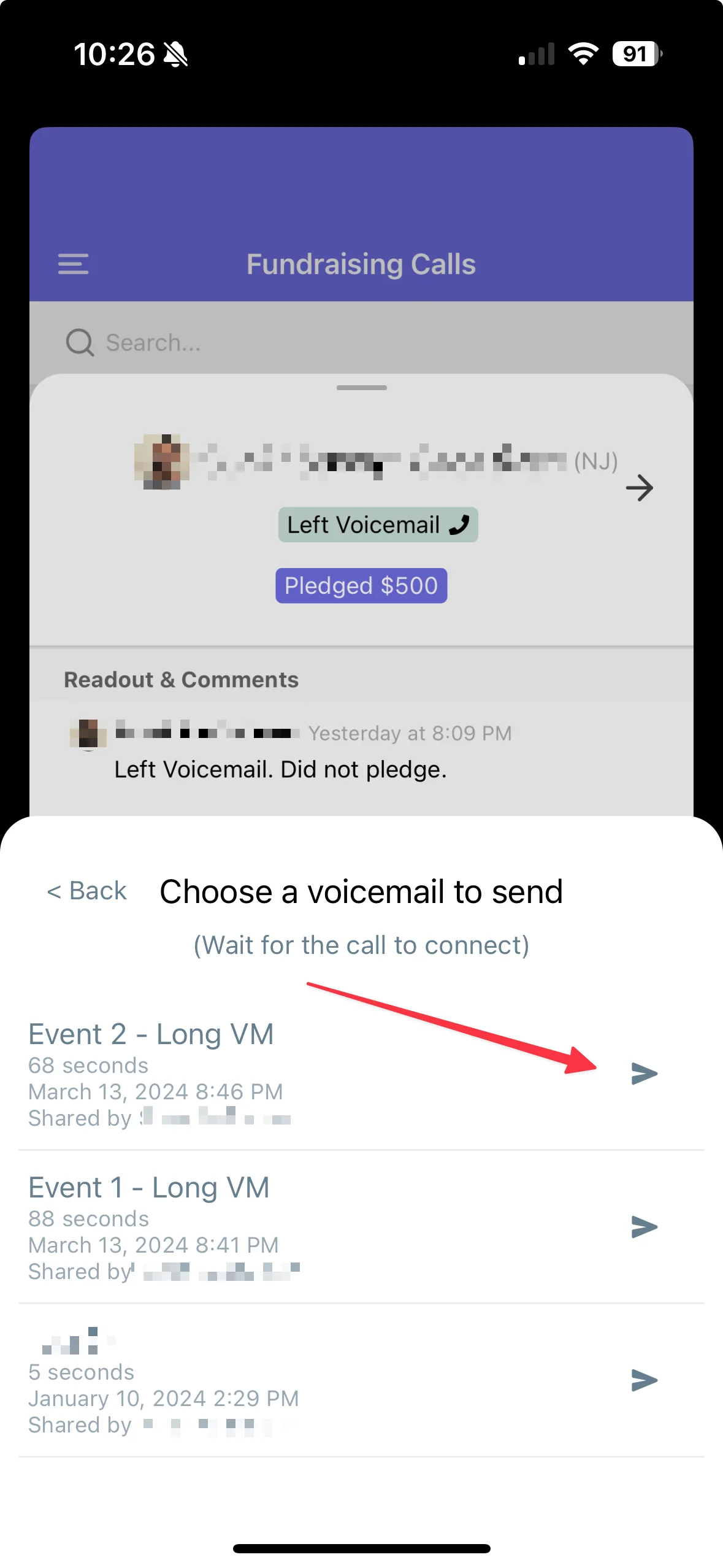
Now, when you hear that the call has gone to voicemail, you can immediately click drop voicemail to play your message after the beep. We will wait until we detect the beep and play the message rather than requiring you to do this.

The flow is roughly the same.

  • Make your call on the mobile app.
  • When you hear a voicemail message from the callee, tap Drop Voicemail.
  • Tap the voicemail you'd like to drop.
  • At this point you can simply end the call (and we'll play the message at the right time). OR you can stay on the line and hear the message.
    Drop pre-recorded voicemails from mobile without listening to the answering message!

We hope this small, but super handy update enables your call time programs more success! Please shoot us a note if you have any questions or anything else trying to drop voicemails!

New Limits! You can now upload (and sort) up to 1000 contacts + 90 second voicemails

We've heard from many of you for the need to upload more than 250 contacts in one go. We're happy to share that we've lifted these limits and you can now fully upload up to 1000 contacts at a time as well as sort them by name, state, and ask amount.

You can also record up to 90 seconds of pre-recorded voicemails. We hope these improvements help take your programs farther!

Earlier updates