Updates

Product updates

iOS updates

Every Pingdex update tagged iOS.

Introducing Shared Pre-recorded Voicemails!

We're excited to announce our latest enhancement to the Pre-recorded voicemail feature. You can now record and share pre-recorded voicemails with the rest of your team!

This enhancement was designed to empower your staff members to make calls and, when encountering a voicemail, seamlessly leave a message from the principal. Setting up this feature is quick and straightforward:

  1. Open the mobile app and navigate to the "Settings and Help" section from the left-hand panel.
  2. Choose "Pre-recorded Voicemails."
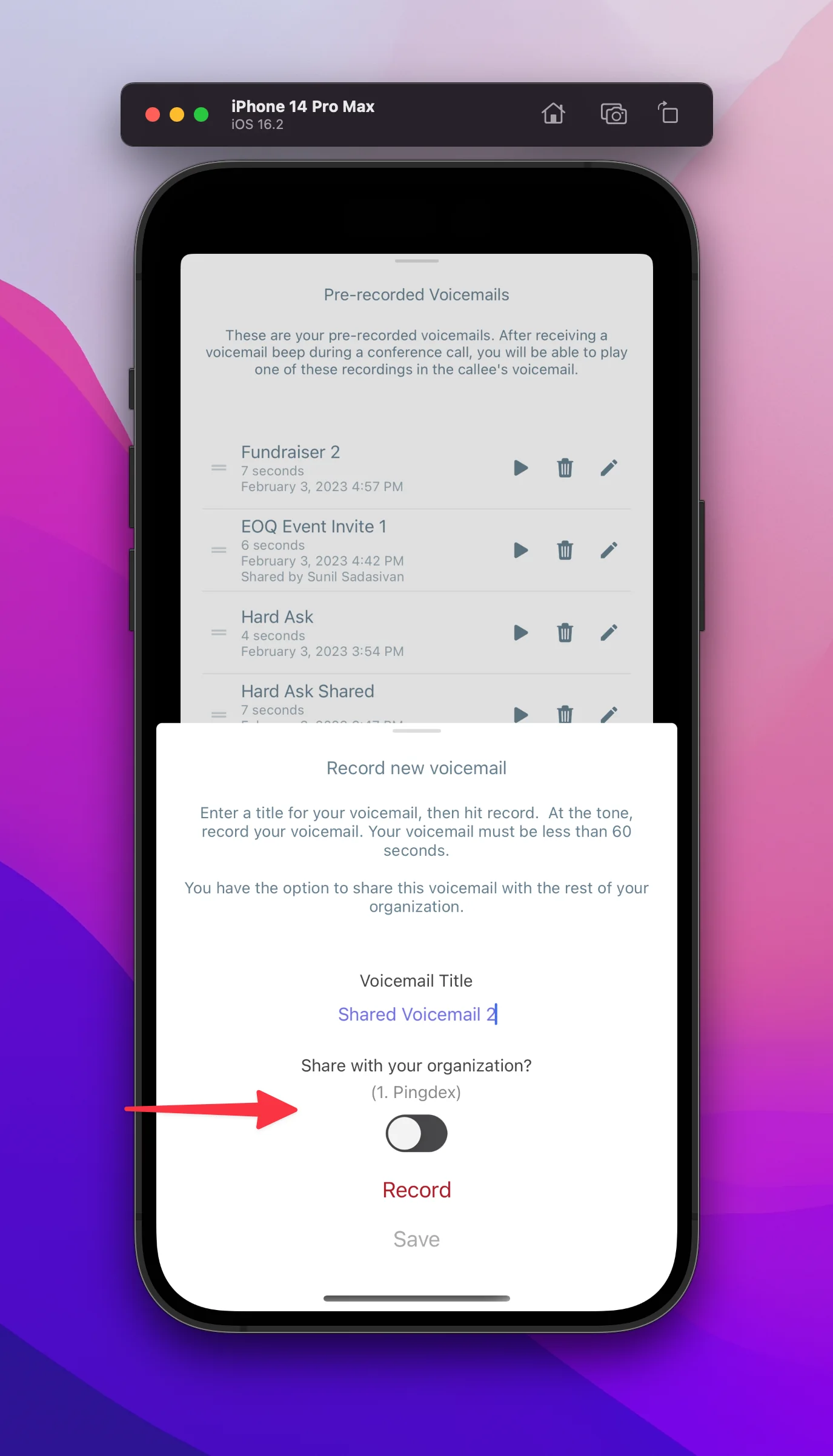
  3. When editing an existing voicemail or creating a new one, you'll now see a toggle labeled "Share with your organization?"
  4. Switch this toggle on to share the voicemail with your team.
Introducing Shared Pre-recorded Voicemails!

Once activated, all team members gain access to the shared pre-recorded voicemail. This allows them to effortlessly drop the message when they hear a voicemail prompt during their calls. Take advantage of this powerful feature to enhance collaboration and streamline communication within your organization.
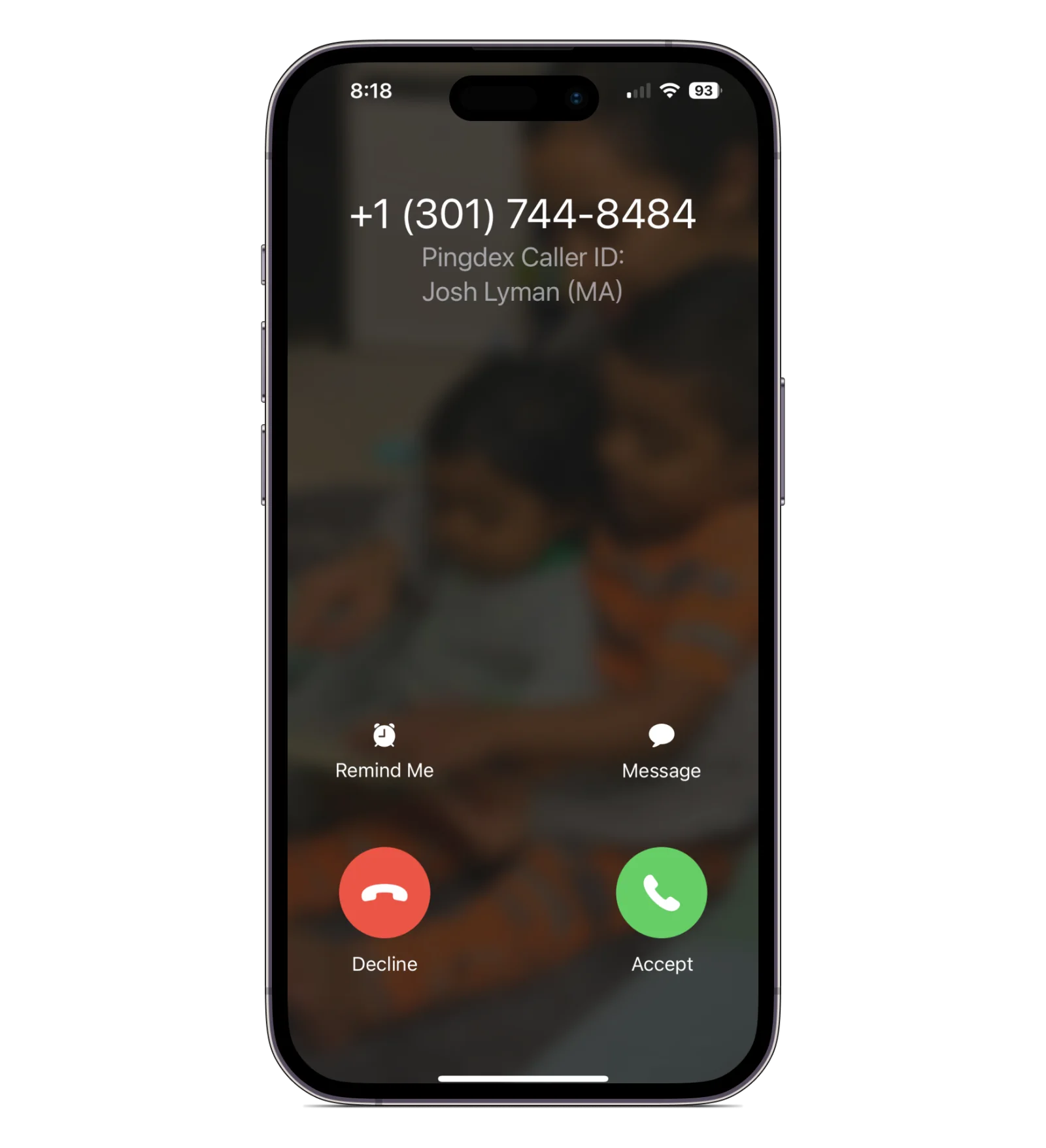
New: Incoming Caller ID for iOS Devices!

New: Incoming Caller ID for iOS Devices!

Introducing Incoming Caller ID for Pingdex contacts on iOS! Now you can identify the caller ID of incoming calls to your iPhone from your Pingdex contacts, even if they aren't saved to your phone. We utilize iOS contact extensions to share your Pingdex contacts with Apple, enabling caller ID recognition for incoming calls.

This feature makes it easier to identify callers when they return your call.

To set up Incoming Caller ID, follow these steps:

  1. Ensure you have the latest Pingdex iOS app installed (download from the App Store).
  2. Open your iOS Settings.
  3. Scroll down and select "Phone" to access Phone Settings.
  4. Select "Call Blocking & Identification."
  5. Enable Pingdex in the Call Identification Apps section.
  6. For additional help and details, click here.

Please note that this feature is currently available for iOS devices only. We're working to bring a similar feature to Android in the future!

Announcing TCPA compliant Pre-recorded Voicemails - Now available on Android and iOS

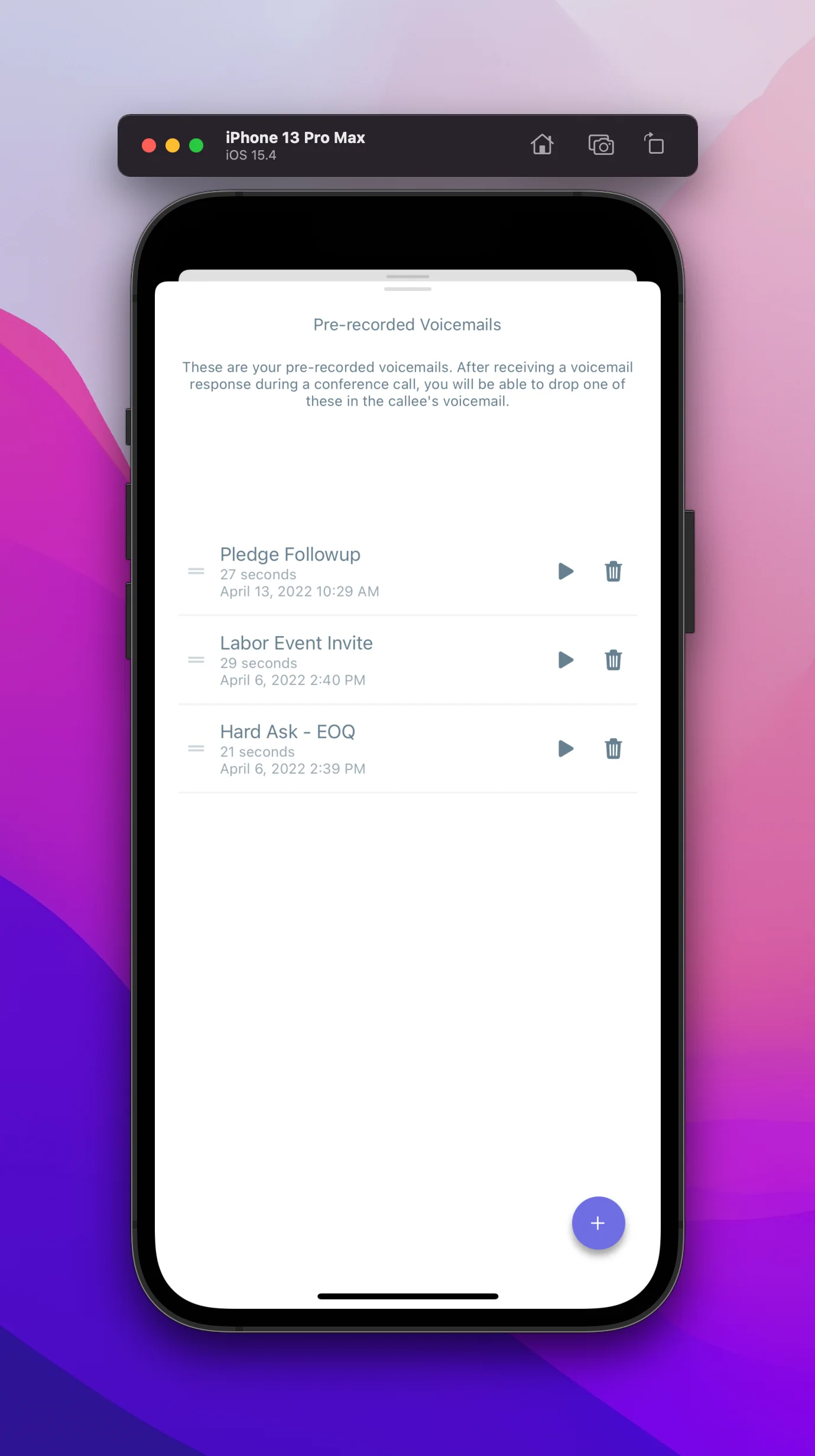
We're excited to announce the availability of TCPA compliant Pre-recorded Voicemails on Pingdex, making your fundraising calls more efficient and consistent. This feature is now supported on both Android and iOS devices.

To start using Pre-recorded Voicemails, simply navigate to "Settings and Help" on your mobile device (located in the left panel) and select "Pre-recorded Voicemails". Once you've set up your desired messages, you'll be able to seamlessly drop them into your calls.

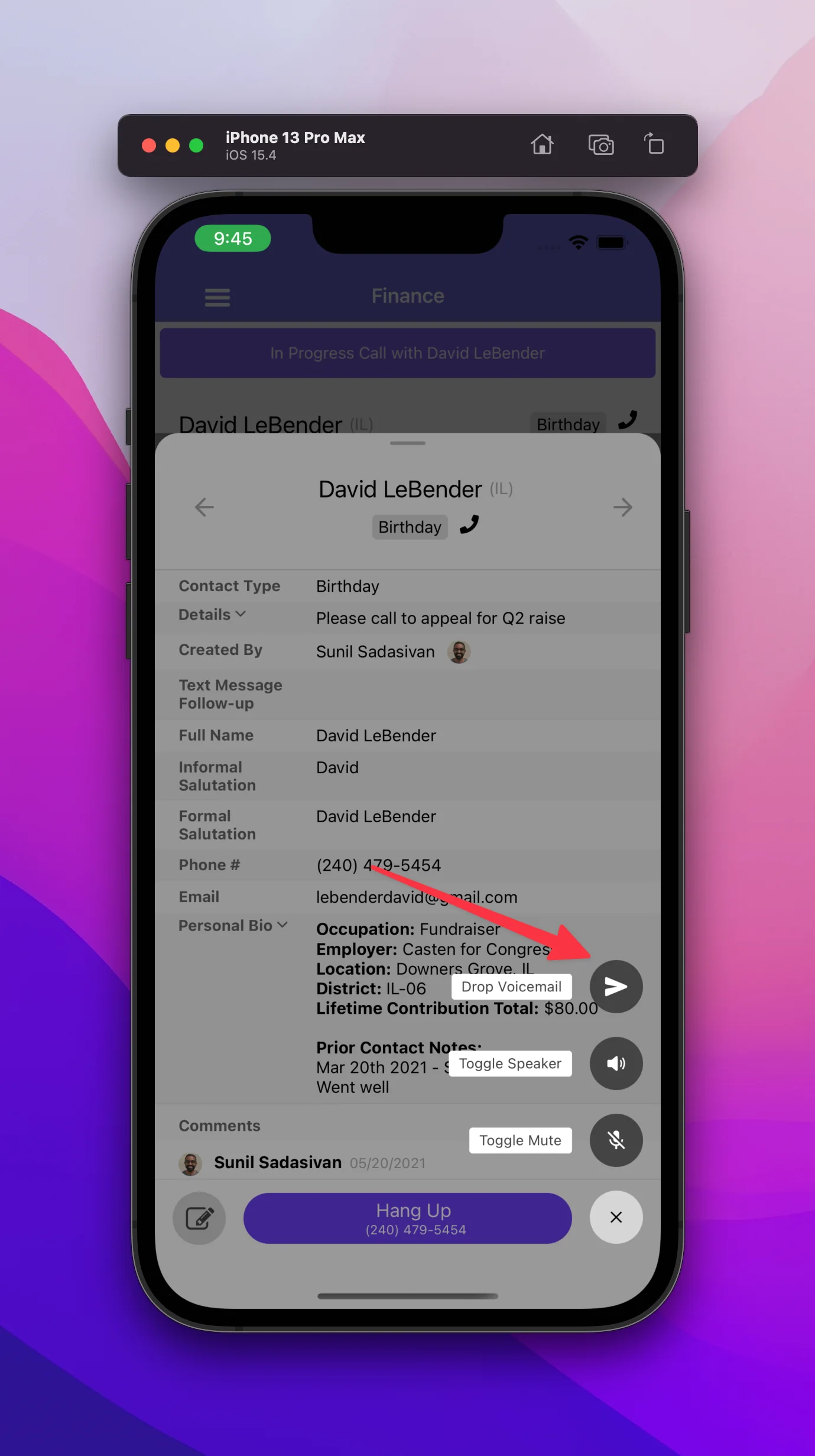
When you hear the voicemail tone, simply tap the "Drop Voicemail" action button to send your pre-recorded message. As soon as you hit send, feel free to end the call and proceed to the next one without waiting for the voicemail to finish.

Please note that Pre-recorded Voicemails are only compatible with "Conference Call" dialing. VM Drops are not supported for calls made directly. To utilize VM drops, you must have a Conference Calling enabled subscription to Pingdex.

Announcing TCPA compliant Pre-recorded Voicemails - Now available on Android and iOS

Introducing VoIP Conference Calling on Android and iOS

We're excited to announce Voice over IP (VoIP) Conference Calling for Pingdex, now available on Android and iOS. Save 20-30 seconds between calls, and enjoy improved call quality in locations with better internet.

Easily enable or disable VoIP/Wi-Fi calling by visiting "Settings and Help" in the left panel of your mobile app.