Share Email and Text Message Templates across Queues
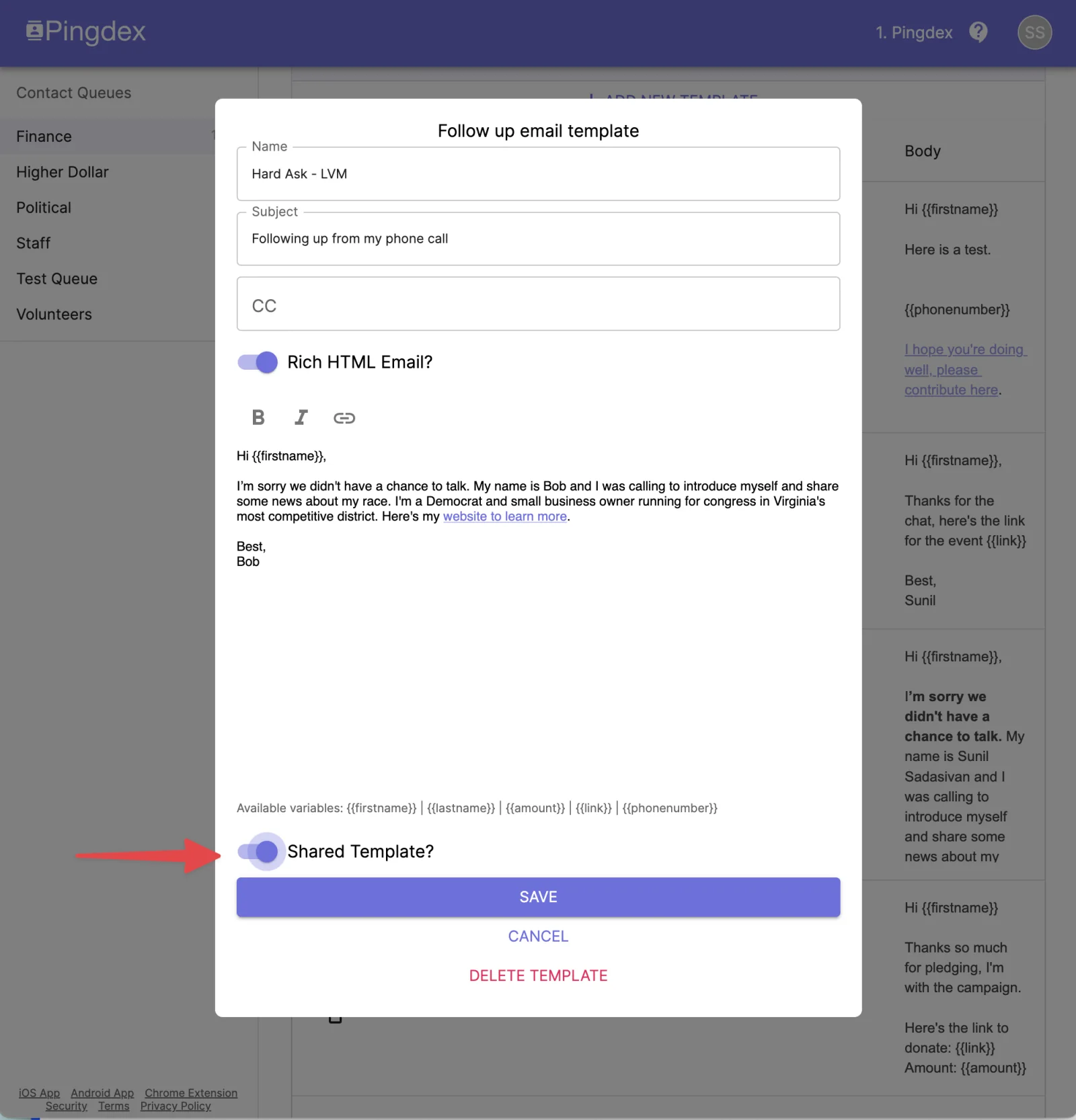
We are excited to announce the latest enhancement to Pingdex - the capability to share email and text message templates across all of your queues! This new feature streamlines the management of frequently used global templates, improving efficiency and consistency in your communication.
To create a unified template, follow these simple steps:
- Navigate to your queue settings.
- Select either Text Message or Email Templates.
- Create a new template or edit an existing one.
- At the bottom of the template editor, you'll find a "Shared Template?" toggle.
- Switch it on to make the template available across all of your queues.
With this update, we hope maintaining consistent follow up across different queues is much easier for you!