Introducing Shared Pre-recorded Voicemails!
We're excited to announce our latest enhancement to the Pre-recorded voicemail feature. You can now record and share pre-recorded voicemails with the rest of your team!
This enhancement was designed to empower your staff members to make calls and, when encountering a voicemail, seamlessly leave a message from the principal. Setting up this feature is quick and straightforward:
- Open the mobile app and navigate to the "Settings and Help" section from the left-hand panel.
- Choose "Pre-recorded Voicemails."
- When editing an existing voicemail or creating a new one, you'll now see a toggle labeled "Share with your organization?"
- Switch this toggle on to share the voicemail with your team.
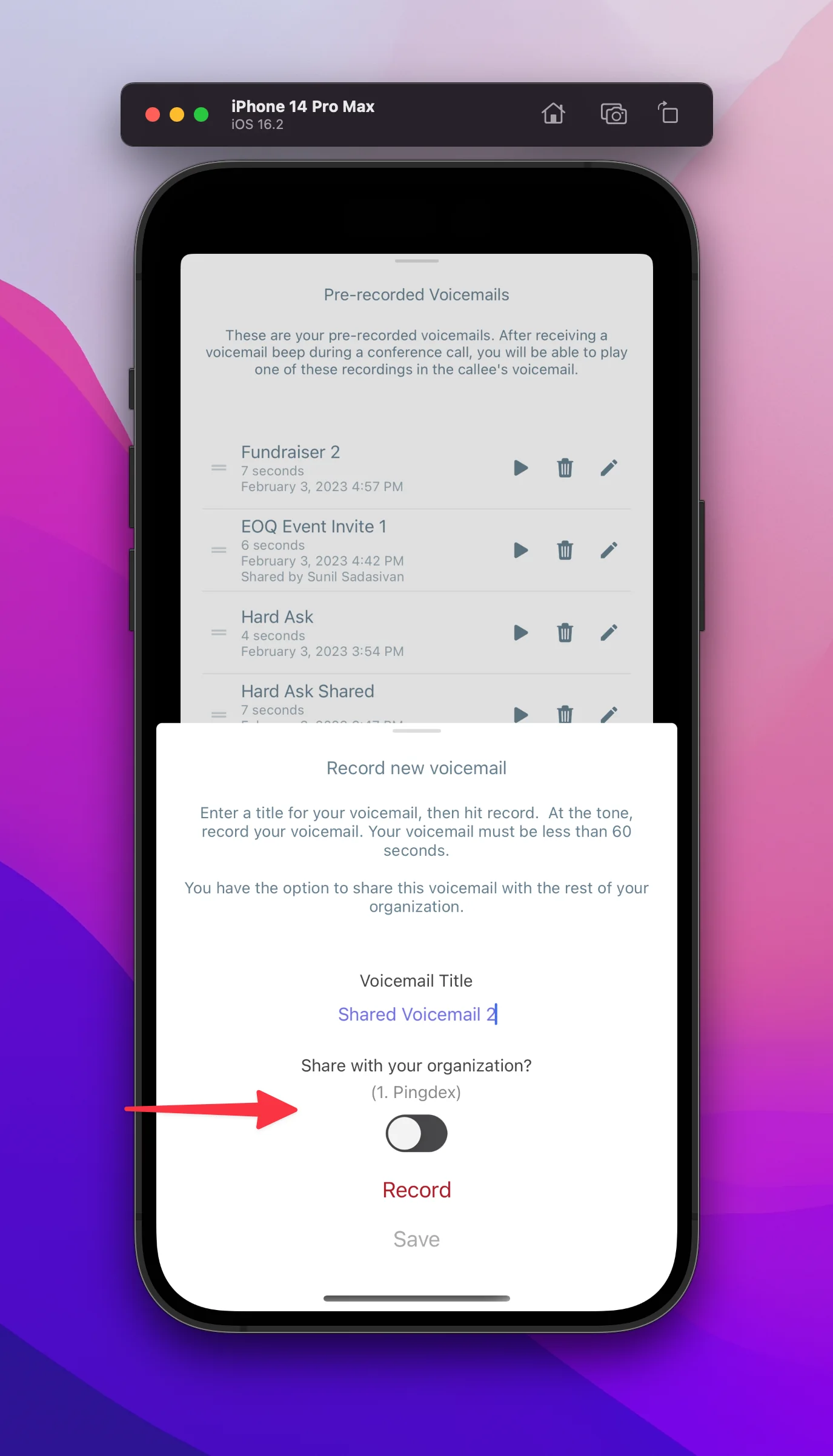
Once activated, all team members gain access to the shared pre-recorded voicemail. This allows them to effortlessly drop the message when they hear a voicemail prompt during their calls. Take advantage of this powerful feature to enhance collaboration and streamline communication within your organization.