Follow-Up Reminders in the Pingdex Dashboard!
Introducing Follow-Up Reminders, a convenient new feature to help you stay on top of your follow-ups directly from the Pingdex dashboard.
Here's how it works:
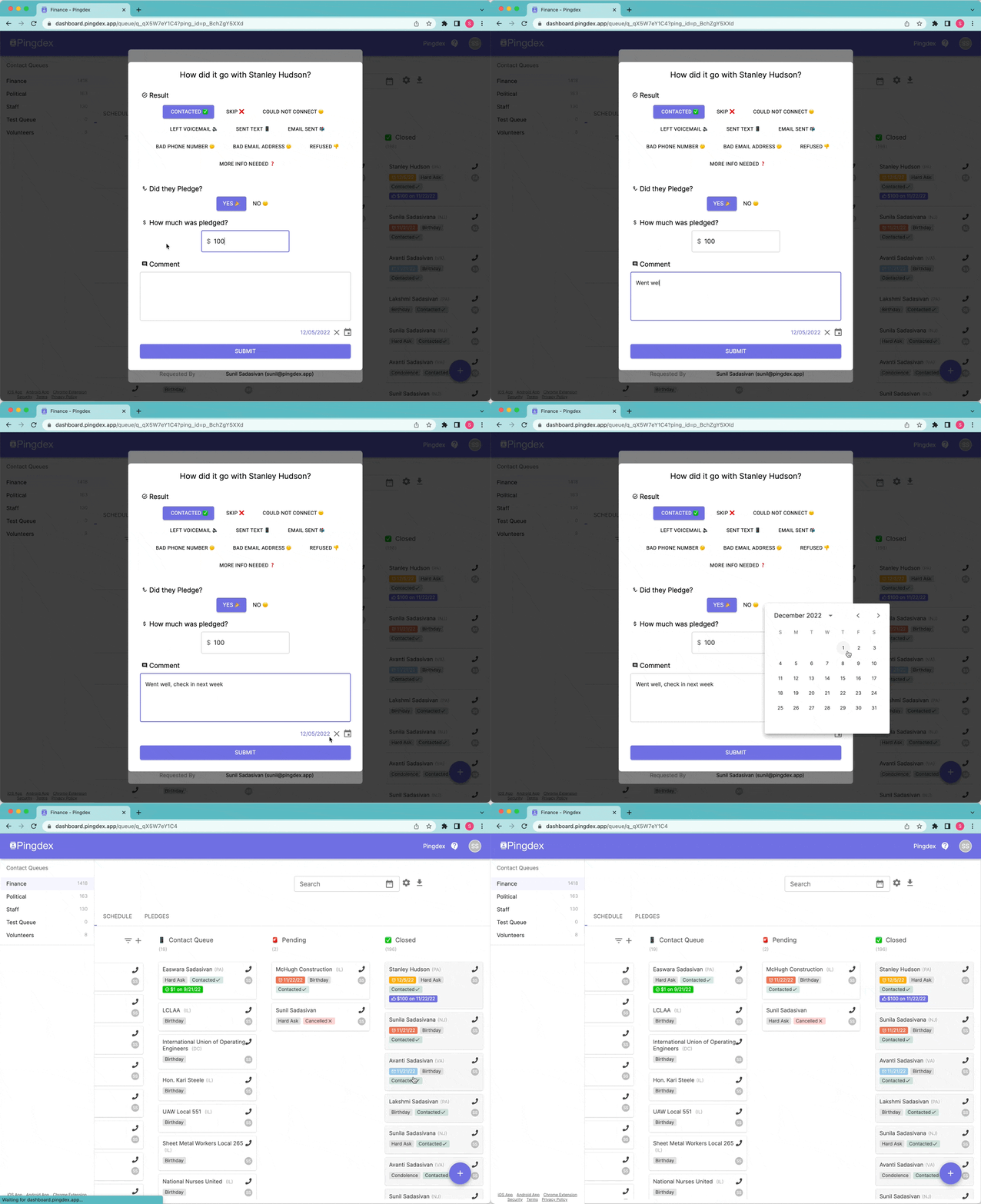
- While entering results on the dashboard, you'll see a calendar icon next to the submit button. Click this icon to select a Follow-Up Reminder date (refer to the GIF above for an example).
- In the dashboard, a yellow chip indicator will display the Follow-Up Reminder date.
- On the reminder date, you'll receive an email notification and the relevant cards will be automatically moved to the top of your list.
- The reminder will be cleared once a follow-up is sent or if you choose to clear it manually.
We understand the importance of timely follow-ups and hope this new feature meets your needs. As this is a recent addition, we'd love to hear your feedback on its functionality and any suggestions for improvement.