Introducing Rich HTML Follow-Up Email Templates
We're excited to announce a significant update to the follow-up email workflow, based on valuable feedback from users like you! Our latest enhancements include support for hyperlinks, rich HTML formatting, automated file attachments, and automatic Gmail account selection.
Rich HTML Email Templates
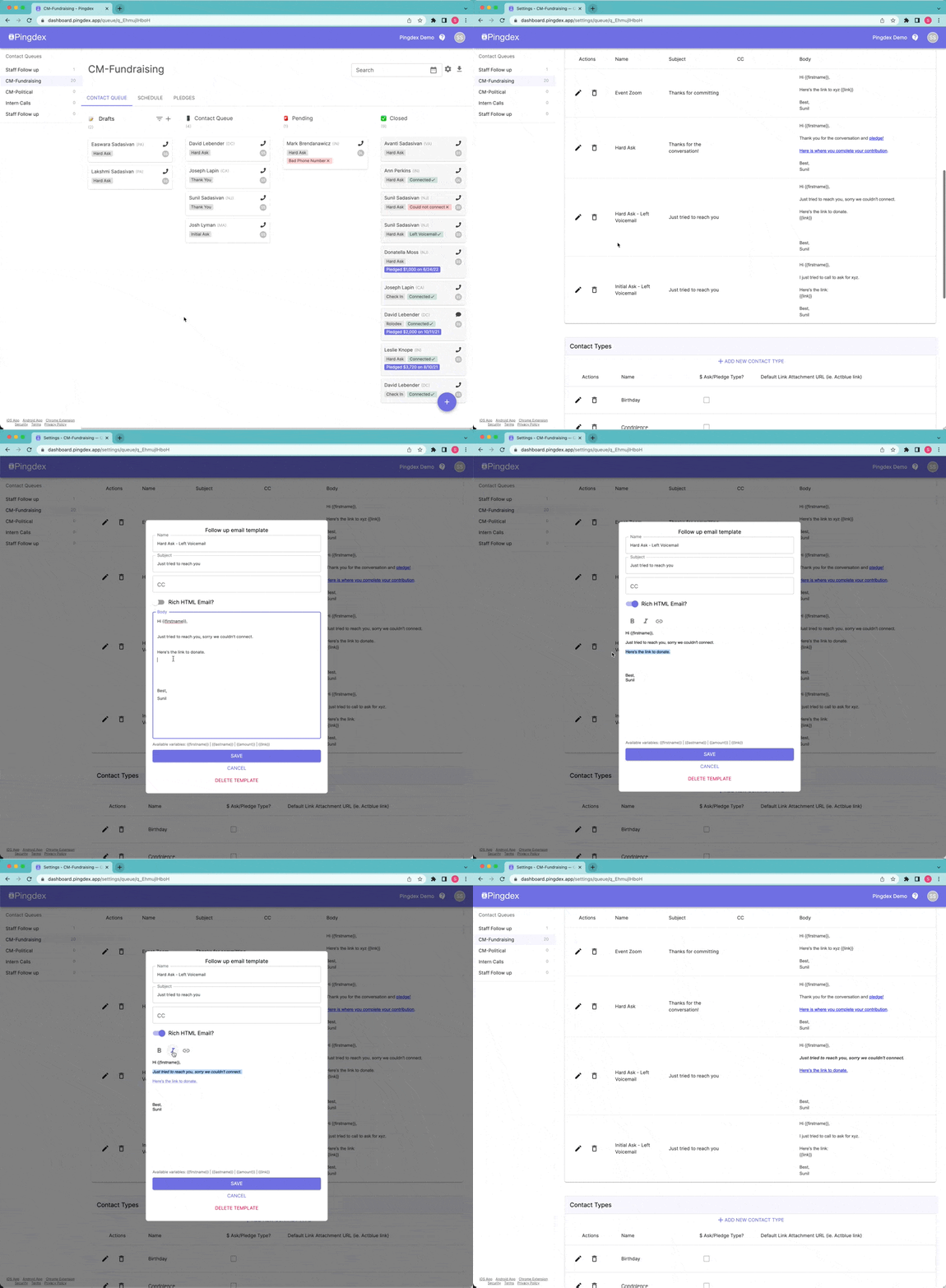
To create and send rich HTML formatted emails, make sure you have the Pingdex Chrome Extension installed. Follow these steps to set up your templates:
- Navigate to the settings section of a queue.
- Scroll to the Email Templates section.
- Click "+ Add New Template" (or edit an existing one).
- Select "Rich HTML Email?".
- Now, create an HTML email with bold, italics, and custom link formatting.
With the Pingdex Chrome Extension enabled, your Gmail composer will automatically display HTML rich formatting when triggering an email follow-up.
Automated PDF / File Attachments
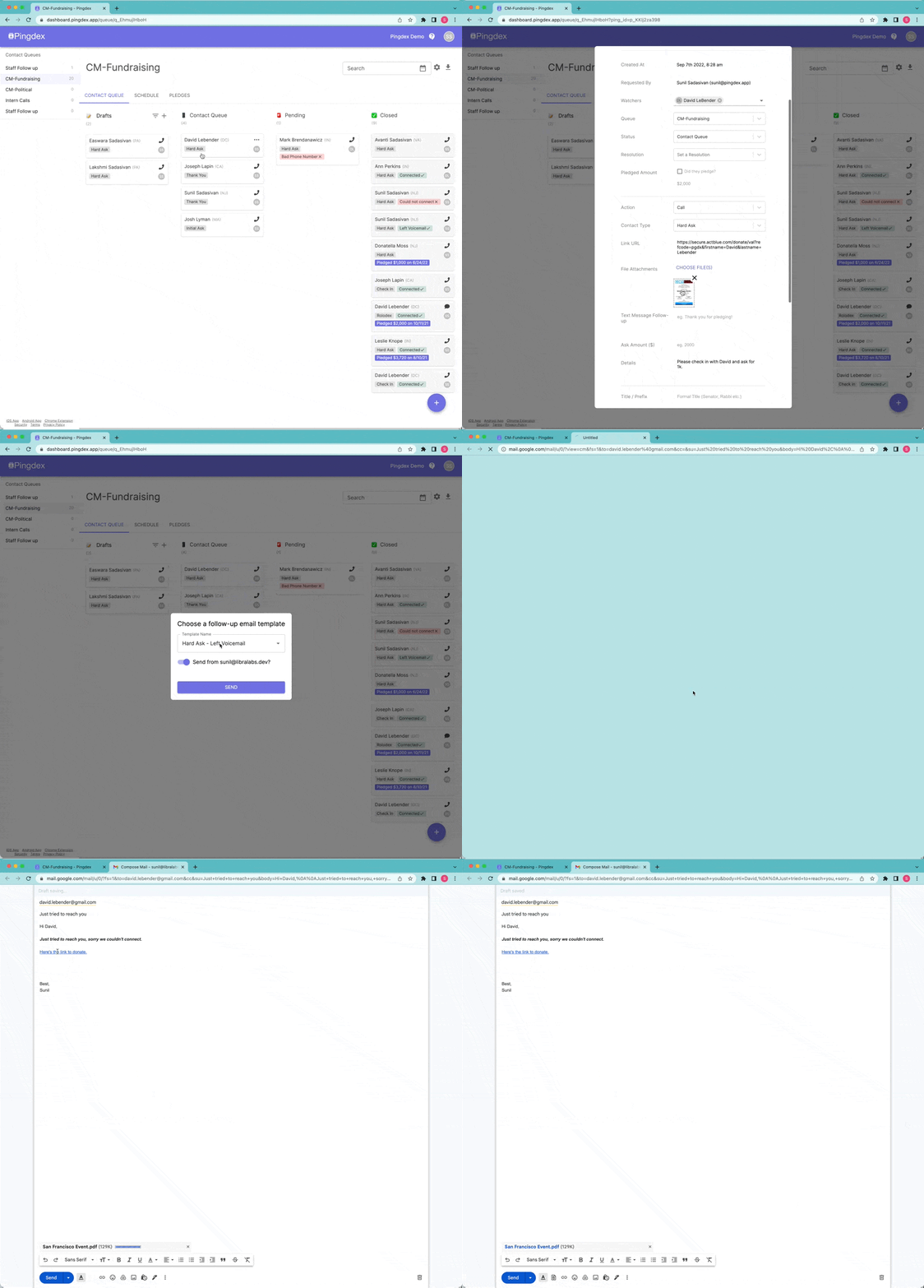
We now support automatic file attachments for your email follow-ups. To utilize this feature, add the desired file (e.g., a prospectus or event invite) to the card via the "Files" section. When sending the follow-up, the file will be automatically attached to the email composer.
Automatic Gmail Account Selection
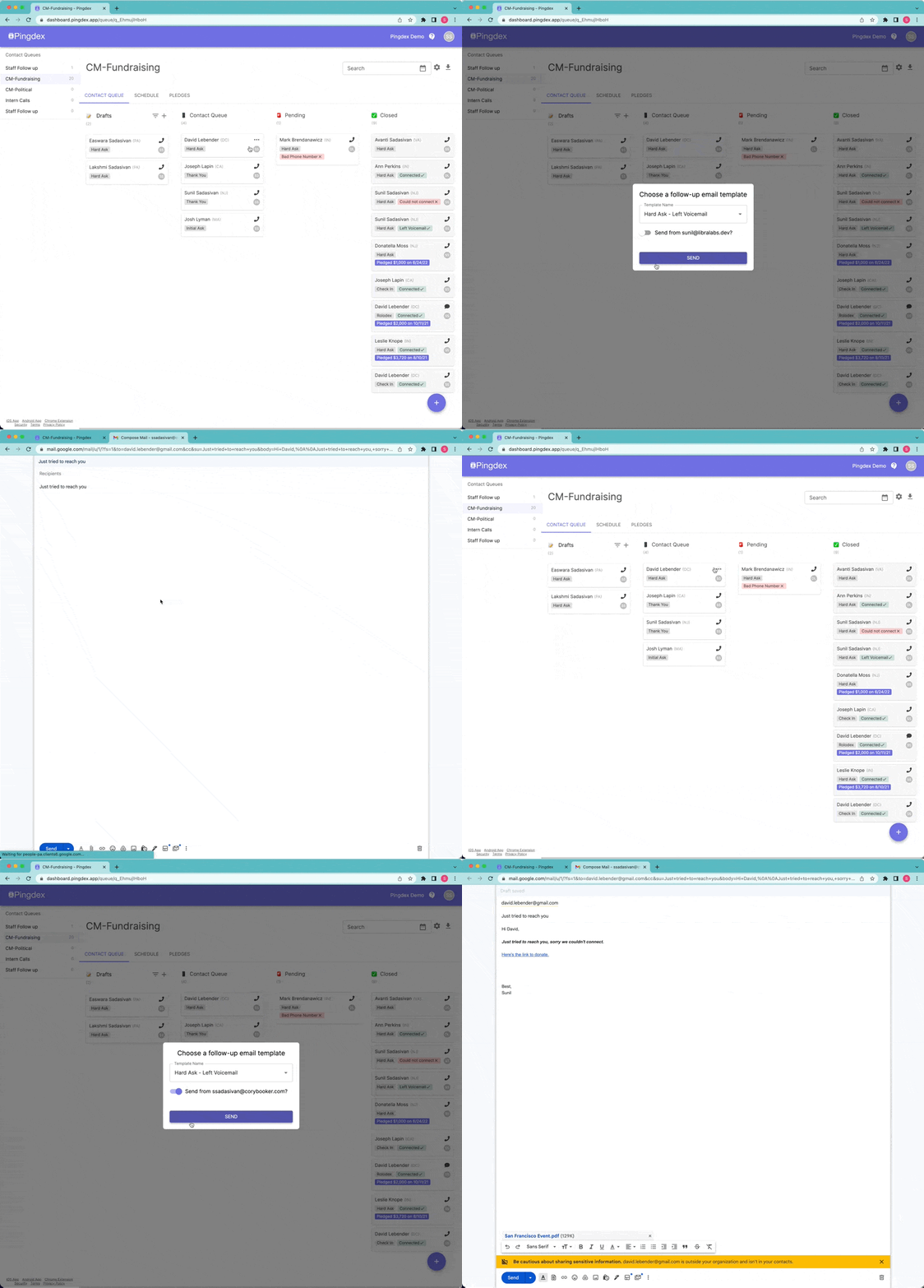
To streamline your experience, we now automatically select the Gmail account you most recently used for follow-up emails. This saves you precious time and extra clicks. If you need to switch accounts, simply deselect the current account in the prompt before sending your follow-up email.
Experience these exciting new features and enhance your follow-up email workflow with Pingdex!