Introducing Date Range Filtering
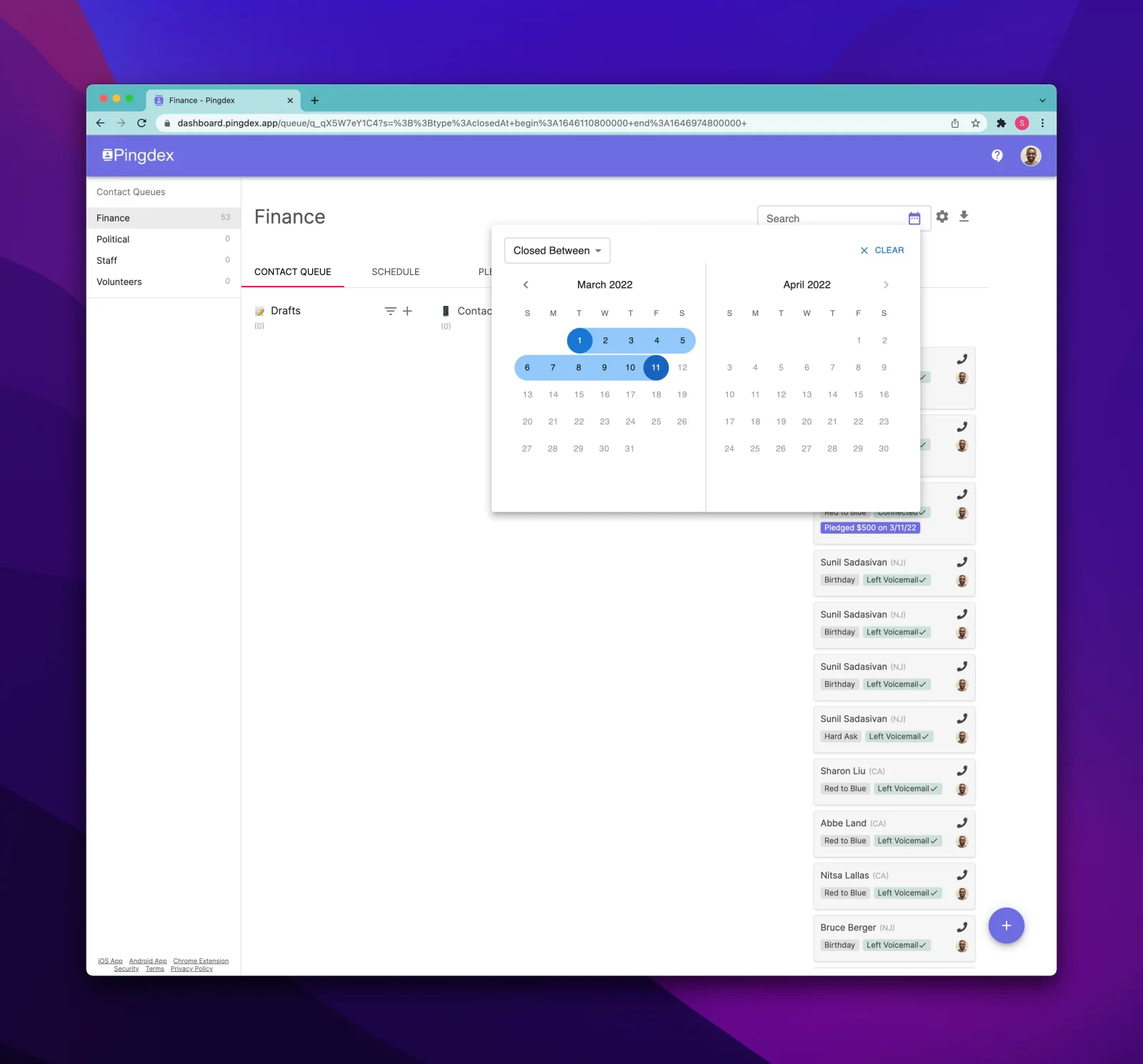
We're excited to announce a new feature that enhances your Pingdex dashboard experience - Filtering by Dates! This update allows you to easily sort and filter your dashboard based on various date ranges, giving you more control over the information displayed.
To use this new feature, simply follow these steps:
- Click on the calendar icon located in the search bar.
- Choose from the following date range options:
- Pledged Date
- Closed Date
- Created Date
- Updated Date (anytime a card has been updated)
By filtering your dashboard using date ranges, you can quickly access and analyze the data most relevant to your needs. This feature aims to improve your workflow and make your dashboard more efficient and user-friendly.
We hope you enjoy this new addition and, as always, we welcome your feedback to continue improving our platform. Happy filtering!