Feature Release: Shared Contact Types in Pingdex
Introducing Shared Contact Types!
We're thrilled to announce a new feature in Pingdex: Shared Contact Types. This much-requested functionality allows you to create Contact Types once and share them across all your Pingdex queues.
How to Use Shared Contact Types:
- Access Queue Settings: Navigate to the settings of any queue.
- Locate Contact Types: Scroll to the 'Contact Types' section.
- Create New: Select 'Add New Contact Type'.
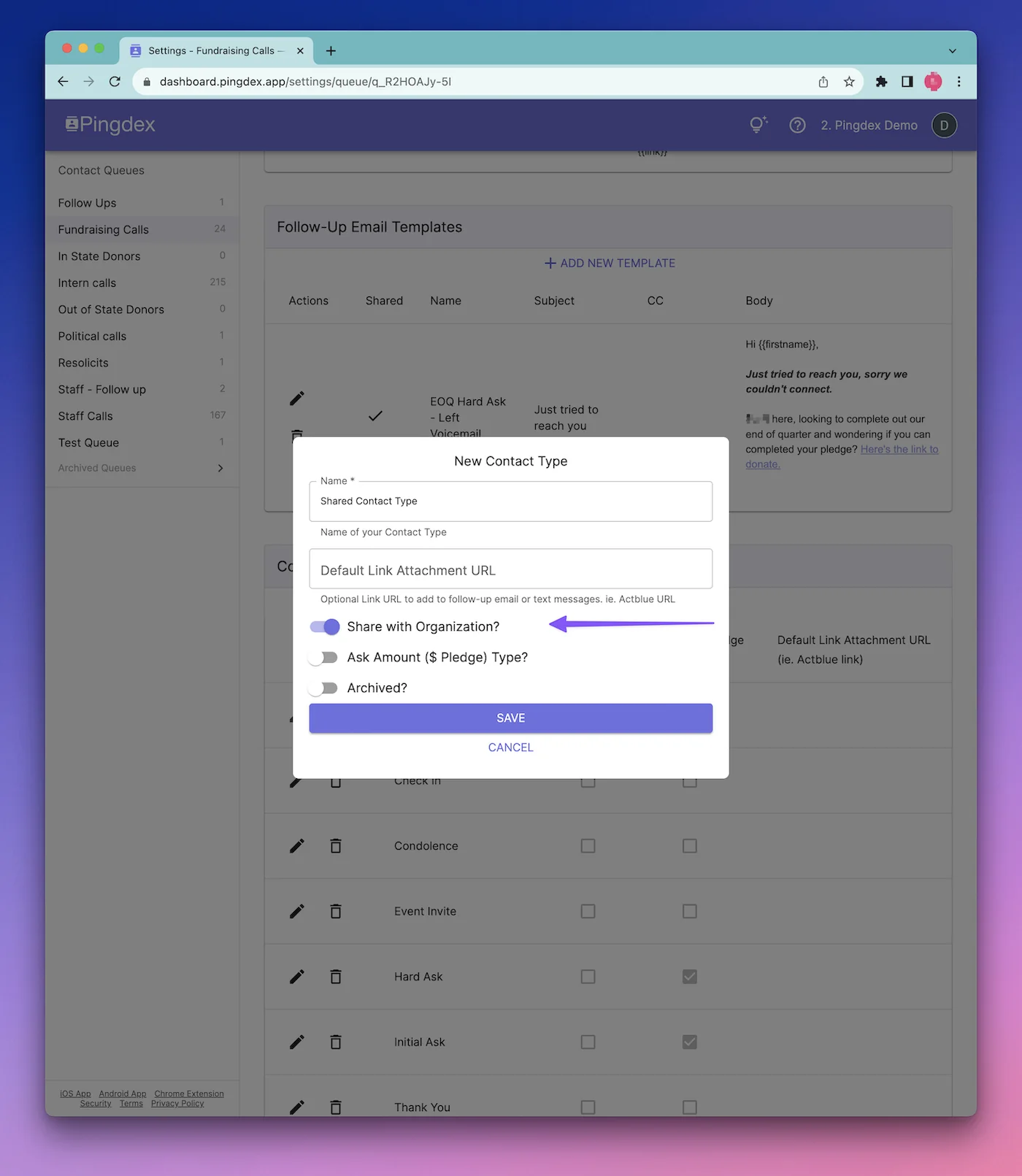
- Enable Sharing: While creating, check the option "Share with Organization?"
Once set up, the new contact type becomes instantly available across all your queues.
Try it Out:
We encourage you to explore this new feature and see how it enhances your experience. Your feedback is invaluable, so please share your thoughts with us!